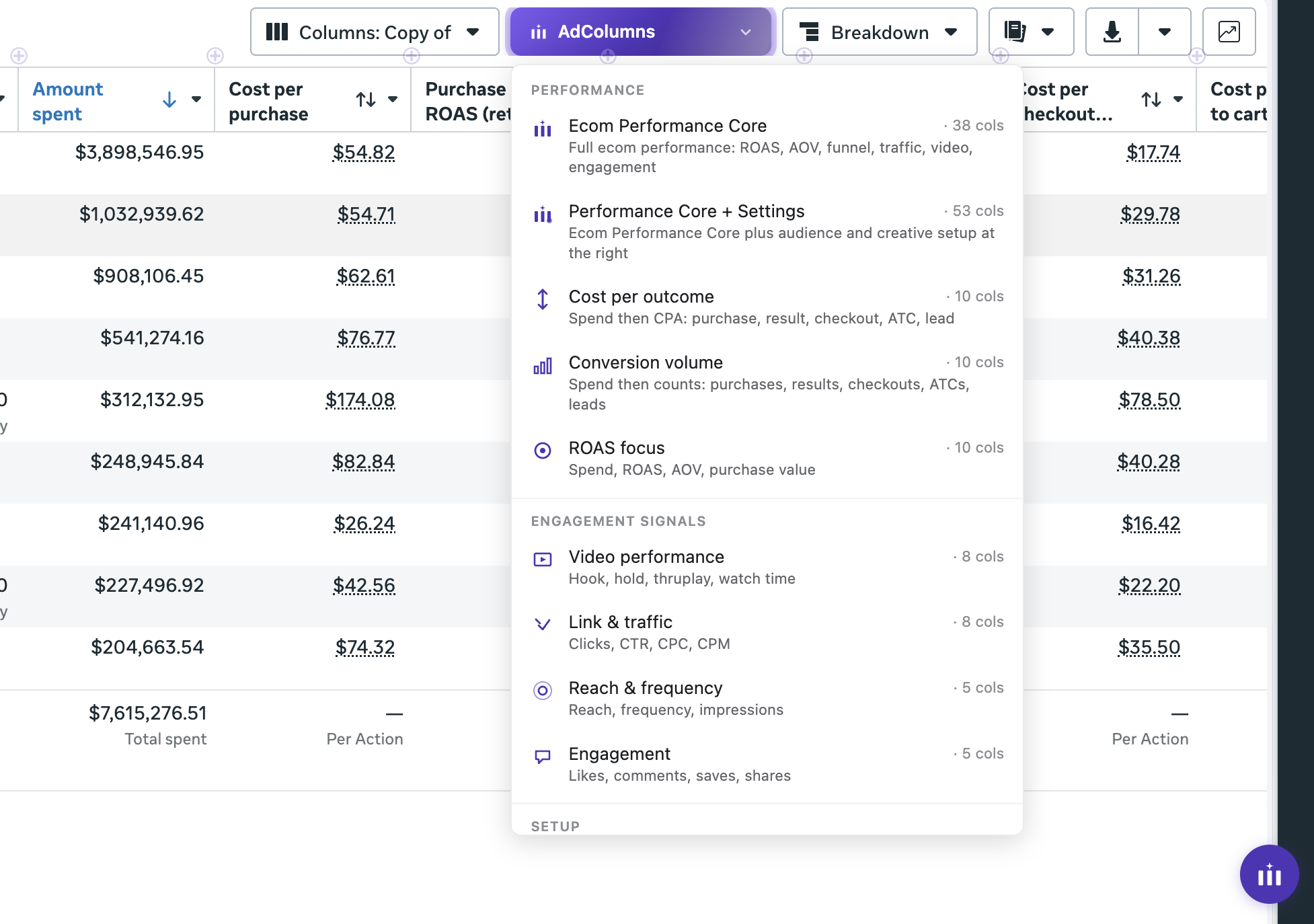
Save, switch, and apply column setups in Meta Ads Manager — without digging through the “Customize columns” menu every time. Built for media buyers who change views all day.
Ad Columns isn’t for sale yet. Drop your email and we’ll let you know the moment it goes live — early-bird pricing for the first wave.
No spam. One email when we launch.

Meta’s “Customize columns” dialog wasn’t built for the way real media buyers work.
To navigate the Customize columns dialog and rebuild a real view from scratch, every single time.
A typical media buyer changes column views per day across accounts, audits, and reporting.
Lost daily to context-switching between performance, creative, and conversions views.
A toolbar button, a command palette, and a panel that lives where you already are.
An “AdColumns” button drops in next to Meta’s Columns dropdown. Click it to open your saved views and switch in one tap. No dialogs, no menus.
Press ⌘K to fuzzy-search every saved view. Stack sort, breakdown, and filter modifiers in the same shortcut.
Pre-built lean views for the work you actually do: Ecom Performance Core, ROAS focus, Cost per outcome, Video performance, and Setup Audit. Use as-is or fork your own.
Build custom views by dragging from a searchable catalog of every Meta column — no syntax, no copy-paste.
A “+” button appears between every column header. Click to drop a new metric in exactly where you want it, without ever opening Meta’s Customize dialog.
An “✕” on each header drops that column from your view in one click. Trim a noisy view down to what you actually want to look at.
Right-click any column header for an instant sort menu — asc, desc, clear. Skip the hover-tap-wait dance Meta makes you do for sorting.
Stops Meta’s default click-through on every cell, so you can scan numbers without constantly drilling into individual ads or ad sets by accident.
Captured views aren’t locked to a single ad account. Save a view once on one client, then load it on any other account you have access to. Your library follows you.
Your views live in your browser. No server roundtrip, no account data sent anywhere.
Free plan covers the basics. Pro unlocks the command palette and visual builder. Save 37% by going annual.
Soon — we’re in final testing now. Join the waitlist and we’ll email you the day it goes live, plus a launch discount as a thank-you for being early.
It’s a Chrome extension. Once installed, an “AdColumns” button appears next to Meta’s existing Columns dropdown — on both adsmanager.facebook.com and business.facebook.com. No separate app to switch to.
The extension is built to degrade gracefully — if Meta ships an Ads Manager UI change, worst case is you’re back to the native dialog while we ship a fix (usually within 48 hours). Updates are pushed automatically via the Chrome Web Store.
Yes. Captured views travel with you across every ad account you have access to — capture a view once on one client and load it on any other account without re-creating it. One license covers unlimited accounts on your browser.
Your saved views and settings live in Chrome’s local storage on your machine. We don’t store ad data, account data, or campaign data on our servers — ever.
Yes — a team plan with shared view libraries is on the roadmap. Annual subscribers get first access.
No spam. One email when we launch.